

HF01 Handheld Fan / Handy Fan
Professional-grade handheld fan with 13000 rpm motor and 100-speed control. Features a 3600mAh battery for wholesale mini fan and portable mini fan supply.
View productChoosing a usb 10gbe ethernet adapter manufacturer and choosing a usb 10gbe ethernet adapter supplier are two different decisions: one is about who controls the design, the chipset source and the firmware, the other is about who can hold stock, quote consistently and take a return three months after the batch ships. This guide uses the 10GbE-T9 to show what to ask for, what to check on paper, and which published specification actually drives the price you are quoted.

Before you compare prices, compare what each type of business can actually control — tooling, firmware, testing, stock and after-sales.
Strip the labels away and there are three entities. A manufacturer owns the tooling, design files and the test process. A supplier may be a factory or an authorised distributor, and what it controls depends on which one it is. A trading company moves product without owning any of it. Only the first two can realistically control chipset sourcing, firmware revisions and long-term availability.
Designs the board, runs assembly and functional test, and signs off the firmware that ships on the device.
Holds stock and quotes quickly, but does not set the design or the firmware roadmap.
Brokers between you and a factory. Useful for small mixed orders, weak on technical accountability.
Six questions that separate a real adapter line from a catalogue entry. Each row gives you the question, the document worth requesting, and the answer that should end the conversation.
| What to ask | Worth requesting | Red flag |
|---|---|---|
| 1. Chipset sourcingWhich controller is on the board, and can it be traced? | The 10GbE-T9 specification names the Realtek RTL8159. Ask for the current revision and the purchase route behind it. | "Equivalent chipset" with no part number, or a different controller on the sample than on the datasheet. |
| 2. Standards documentationWhich IEEE standards is the design tested against? | The published standard list: IEEE 802.3, 802.3u, 802.3x, 802.3ab, 802.3az, 802.3bz and 802.3an. | A standards list that changes between the web page, the datasheet and the quotation. |
| 3. Assembly and functional testWho assembles the board and how is each unit verified? | The SMT and test flow used for this model, plus the acceptance criterion for a failed unit. | No answer on test coverage, or a claim that "every unit is tested" with nothing behind it. |
| 4. Driver and firmware lifecycleWho supports the driver after the order ships? | The driver download source and the update path for new operating system releases. | No named driver source, or a promise of support with no version history. |
| 5. End-of-life and long-term supplyHow long can this exact build be repeated? | A written statement on availability if the controller or connector is revised. | Refusal to commit on availability, or a suggestion to "re-quote each time". |
| 6. Warranty and RMA handlingWhat happens when a unit fails in the field? | The warranty term, the return address, and who pays freight in each direction. | Warranty stated verbally only, or split responsibility between broker and factory. |

The 10GbE-T9 is a USB Ethernet adapter that gives a PC or other host up to 10GbE connectivity. Understanding what sits inside the housing tells you which parts of the quote are fixed and which parts are negotiable.
The parameters a procurement team should lock into the purchase order, taken from the published product data.
| Model10GbE-T9 USB 10GbE Adapter |
| ChipsetRealtek RTL8159 |
| Host connectorUSB Type-C, 24-pin, Gen 2, 20Gbps |
| Network portRJ45 |
| Data rates10G / 5G / 2.5G / 1G / 100Mbps / 10Mbps |
| StandardsIEEE 802.3, 802.3u, 802.3x, 802.3ab, 802.3az, 802.3bz, 802.3an |
| DuplexFull duplex supported |
| Jumbo frame16K maximum |
| VLANIEEE 802.1Q tagging |
| PowerPowered directly from the USB port; no external power required |
| LED indicatorsAmber = link established; green = data activity |
| Dimensions59 × 28.5 × 12.5 mm |
| Weight37 g |
Four common purchase scenarios, the published detail that decides each one, and the question to settle before you release the order.

Needs the full 10G path: the adapter supports 10Gbps at 100 m on Cat6a or above.
Bus-powered operation means no PSU, and the USB-C Gen 2 interface carries the line rate.
The adapter negotiates 5G, 2.5G, 1G, 100Mbps and 10Mbps, with Cat6 listed for 5G and 2.5G.
IEEE 802.1Q tagging and jumbo frames up to 16K are both published capabilities.
| Link speed | Cable listed for this speed | Typical run |
|---|---|---|
| 10GbEHighest negotiated rate | Cat6a or above | Up to 100 m |
| 5G / 2.5GMulti-gigabit step-down | Cat6 | Up to 100 m |
| 1GbE and below1G / 100Mbps / 10Mbps | Cat5e or above | Up to 100 m |
These are the details that generate support tickets after delivery. Put them in the datasheet you send to end users.

Customization terms are agreed project by project. Use this matrix to state exactly what you need, so the reply comes back with a matching configuration instead of a generic price sheet.
| Customization area | What to specify in your request | Confirmed per project |
|---|---|---|
| Unit markingBrand on housing or label | Logo artwork, position, colour, and whether marking sits on the enclosure or a applied label. | Feasibility, tooling or setup cost, and minimum quantity. |
| Retail packagingBox, sleeve or bulk | Packaging format, artwork files, language variants and barcode or serialisation requirements. | Print setup, minimum print run and production lead time. |
| Cable bundleIncluded accessories | Whether a cable ships in the box, the required length and category, and the retail constraint on run length. | Availability, unit cost impact and packing method. |
| Firmware identityDriver and device naming | Whether a distinct device identity or driver package is required for your operating system image. | Technical feasibility and who maintains the driver afterwards. |
| Finish and colourHousing appearance | Target finish or colour reference, and whether the change applies to one run or the whole programme. | Minimum quantity per finish and any colour-matching process. |
| Order profileQuantity and destination | Sample, pilot and production quantities, destination market, and any certification the importer must hold. | Unit price breaks, certification scope, Incoterms and ship dates. |
Send the full picture in one message and the reply can come back as a configured quotation rather than a starting price. Include the points below for sampling, private-label runs and bulk production.
Keep adjacent product options together for a faster catalog comparison.
Professional-grade handheld fan with 13000 rpm motor and 100-speed control. Features a 3600mAh battery for wholesale mini fan and portable mini fan supply.
View product
Ensure long-lasting durability with the HF02 handheld fan. Featuring a 4000mAh battery and 13000 rpm motor, this portable mini fan is built for bulk supply.
View product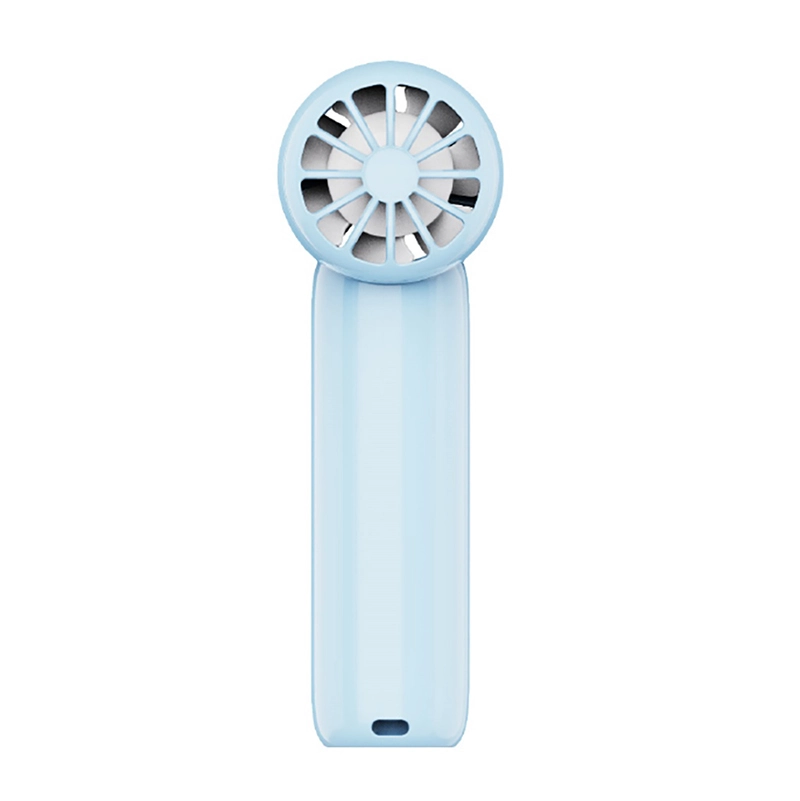
15900 RPM brushless motor powers the HF03 handheld fan. High-performance wholesale mini fan portable solution with 2600mAh battery for wholesale small portable fan procurement…
View productCustomization requests — unit marking, retail packaging, cable bundles and firmware identity — are handled through the quotation process. Feasibility, minimum quantity, setup cost and lead time are confirmed in writing before production, so ask for those numbers with your first enquiry.
The published specification names the realtek rtl8159. For sourcing, the controller matters because it determines driver availability and how long the platform stays supported. Ask which revision is on the current build and where driver updates are published.
Cat6a or above for 10gbe at 100 m. The product page lists cat6 for 5g and 2.5g, and cat5e or above for 1gbe, 100mbps and 10mbps.
No external power: it is powered directly from the usb port. Most systems detect and connect automatically; some operating systems or specific versions may require the driver package, which is available from realtek's official download page.
Storage is rated -25°c to 70°c (-13°f to 158°f) with humidity of 20–80% rh. The published operating range goes up to 50°c (122°f), and surface warming under sustained high load is normal behaviour rather than a fault.
Use the contact page and include quantity, destination market, required certifications, chipset preference and any branding requirements. That allows the quotation to come back with a matching configuration instead of a generic unit price.